
Virtual reality has already transformed adult entertainment by letting viewers step inside the scene, but the real leap forward is interactivity. With haptic devices that sync to what you see, community-driven “scripts” that map motion to touch, and new AI tools filling the gaps, immersive VR porn is starting to feel alive in ways traditional video never could.
This guide breaks down how the technology works, why it matters now, and how anyone can get started safely, simply, and with privacy in mind.
What “Interactive” Means in VR (and why it feels different)
When people talk about immersive VR porn, they often point to the 360° visuals and high-resolution headsets that make the scene look real. But what truly shifts the experience from watching to participating is interactivity.
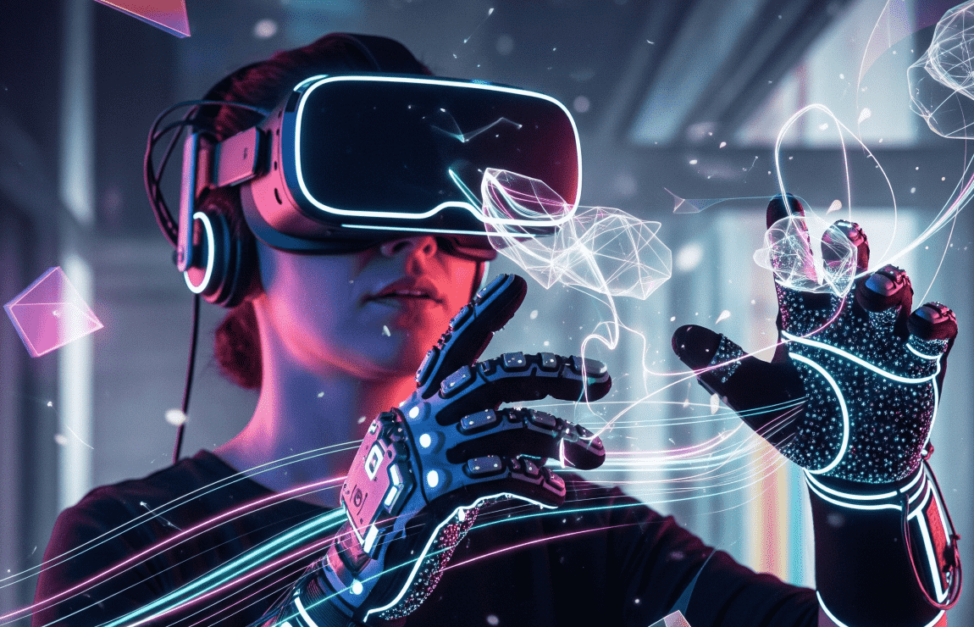
By layering haptic feedback on top of head-tracked perspective, VR tricks the senses into believing you’re present inside the environment. This combination of sight, sound, and synchronized touch creates a level of realism that flat screens can’t approach.
Presence + touch = “being there”
Presence is a psychological effect where your brain accepts a virtual environment as real. In VR, presence is triggered when your eyes and head movement align with a believable world, but add responsive touch, and that illusion strengthens dramatically.
Haptic devices translate scripted or real-time signals into physical sensations, so as your point of view shifts in the headset, your body receives cues that match what you see. Without needing to be explicit, this blend of sensory channels gives many users the uncanny impression of actually being there.
The building blocks: toy ↔ app ↔ player ↔ video
Interactivity doesn’t happen by magic. It’s a chain of connections that work together. At the start is the toy, which can receive movement instructions. That toy links to an app (like Lovense Remote or FeelConnect), which manages communication between devices and the internet.
The app then syncs with a player such as DeoVR, which is capable of reading motion “scripts” or AI-driven patterns. Finally, the player is tied to the video, which provides the timing and context. When all four parts line up, the end result is real-time feedback that moves with the action on screen.
Haptics 101: Toys, Apps & Scripts
The backbone of interactive VR porn is haptics, devices that move in sync with what you see on screen. Different brands have taken their own approach, but they all rely on a mix of hardware, apps, and scripts that map visual cues to touch. Here’s how the main players fit in.
The Handy (Wi-Fi + API)
One of the most popular devices for immersive VR porn is The Handy. It connects via Wi-Fi and supports direct sync with video and VR playback. For more advanced users, its public REST API allows custom integrations, making it a favorite among tinkerers and developers. Whether you’re simply loading a pre-made script or experimenting with your own setups, The Handy offers a low-friction way to feel what you see.
Kiiroo Keon (+ FeelConnect)
The Kiiroo Keon is designed for users who prefer plug-and-play simplicity. It pairs with the FeelConnect app, which links toys to compatible content, including VR videos. Beyond scripted interactivity, the app also enables live partner control, one of the core use cases in teledildonics. For newcomers, Keon’s interactive mode provides an easy path into syncing toys with media.
Lovense (Max 2, Nora) + Remote app
The Lovense ecosystem is one of the most versatile in responsive VR. Devices like the Max 2 and Nora connect through the Lovense Remote app, which supports multiple modes: Media Sync for matching movements to music or video, game tie-ins, and of course, long-distance control. Remote partner connectivity is one of Lovense’s strongest features, making it especially popular for virtual intimacy across distance.
Scripts (Funscript)
At the heart of haptics lies the community standard: Funscript. A Funscript is a small JSON-based file that maps on-screen motion to toy movement. Because it uses simple timestamps and position values, it’s portable across different players and devices. Most VR video players can read these scripts automatically if they’re placed in the same folder as the video.
Here’s a safe example of what a Funscript looks like:
{
“actions”: [
{ “at”: 1000, “pos”: 20 },
{ “at”: 2000, “pos”: 80 },
{ “at”: 3000, “pos”: 50 }
]
}
This tiny snippet simply means: at 1 second, move to 20%; at 2 seconds, move to 80%; at 3 seconds, return to 50%. Multiply that logic across a whole video, and you have real-time interactivity that makes VR feel far more alive.
Where AI Fits Today
Artificial intelligence is beginning to reshape interactive VR porn by stepping in where manual scripting leaves off. While human-created scripts are still the gold standard, AI now plays a supporting role, automatically generating toy patterns, adapting playback, and hinting at the future of more personalized virtual intimacy.
AI-assisted syncing
When no pre-made script is available, platforms like Lovense provide Media Sync and AI Sync options. These systems attempt to map toy movement directly to the rhythm and motion of a video or live cam show. The benefit is obvious: you can enjoy real-time interaction without needing to hunt down a compatible Funscript.
However, the technology is not perfect. AI-generated syncing may feel less precise or consistent than community-authored scripts, and performance depends heavily on the video and network quality. For users who value convenience, it offers a quick way to stay connected, but those chasing accuracy often still prefer manual scripts.
Personalization trends
AI’s influence extends beyond syncing. Mainstream tools such as Google’s Gemini “Gems” show how consumers are getting used to personalized companions and customized agents. In the context of AI-driven porn, the same trend suggests a future where VR content could adapt responsively to an individual’s preferences.
It’s important, though, to keep this development consent-first and privacy-conscious. While adaptive AI promises more natural and tailored virtual intimacy, safeguards around transparency, labeling, and user control remain essential for safe adoption.
Players & Setup (Simple Paths)
Even with the right devices, interactive VR porn only feels seamless if playback is set up properly. Fortunately, there are straightforward paths for beginners and more advanced users alike. Whether you’re loading scripts in a headset or streaming directly through a browser, a few simple steps ensure smooth, responsive interaction.
In-headset player
Dedicated VR players like DeoVR make syncing toys and videos straightforward. The key is to load the video in the correct projection format (VR180 or 360°) and then place the matching .funscript file in the same folder. File naming rules are important: the script must share the exact name as the video file for the player to detect it. Once set up, DeoVR highlights its haptics integration, letting you experience synchronized motion directly inside the headset.
Browser route
Not everyone wants to install extra apps or configure local files. Some devices, like The Handy, offer an online sync mode. By entering a connection key, you can stream interactive videos through a browser while the toy responds in real time via the cloud. This approach lowers the barrier to entry, perfect for users who want a quick taste of immersive VR porn without dealing with local file management.
Network tips
Smooth playback is essential for keeping real-time interaction convincing. For wireless setups, a 5 GHz Wi-Fi connection is strongly recommended, along with staying close to your router. If you’re aiming for higher resolutions like 6K or 8K, downloading the video locally often avoids buffering issues that can throw syncing out of rhythm. Following these simple setup practices keeps responsive VR consistent, reducing lag and making haptic feedback more believable.
Safety, Consent & Privacy
As exciting as interactive VR porn can be, safety and responsibility are always part of the picture. Interactivity adds new layers of intimacy, which makes clear consent and strong privacy practices more important than ever.
Consent signals
Interactive experiences should always be clearly labeled, with platforms making it obvious when haptics are supported and how they’re triggered. This clarity ensures users know what they’re engaging with and helps avoid misunderstandings. It’s equally important to steer clear of non-consensual or synthetic misuse of scripts and AI-driven features. Following community guidelines and platform rules helps keep virtual intimacy ethical, inclusive, and respectful of all participants.
Device privacy
Connected devices bring convenience but also raise privacy considerations. Apps often request permissions for Bluetooth, Wi-Fi, or cloud services, which can expose usage data if not managed carefully. Before connecting, review what permissions an app is asking for and disable anything unnecessary. Cloud syncing features are helpful for remote play but should be used with awareness of where data might travel.
Independent groups such as the Mozilla Foundation have documented privacy risks around connected toys, offering valuable checklists and recommendations. By staying informed, you can enjoy teledildonics and responsive VR experiences with peace of mind, knowing your interactions remain private and secure.
Quick Start
Getting started with interactive VR porn doesn’t need to be complicated. With the right toy and a few setup basics, you can be up and running in minutes. Here’s a simple guide for beginners.
Pick your path
Different devices suit different needs. If you prefer open integration and tinkering, The Handy works via API or cloud mode. For a plug-and-play approach, the Kiiroo Keon syncs easily through the FeelConnect app.
If long-distance or multi-mode use is your priority, Lovense devices like the Max 2 and Nora pair seamlessly with the Remote app and its Media Sync features. Each option delivers responsive VR in its own way, so the best choice comes down to your goals.
3-step recipe
- Choose your VR video and make sure the projection format matches your headset (VR180 or 360°).
- Load or enable the script: either place a .funscript file alongside the video or turn on AI Sync if one isn’t available.
- Test with headphones to check synchronization and immersion, since sound can help you confirm whether latency is present.
Troubleshoot fast
If your setup feels out of sync, the fix is often simple. First, check for latency; weak Wi-Fi or long router distance are common culprits. Switching to local playback instead of streaming often improves precision. Finally, confirm the script filename and placement; the script must match the video’s file name exactly for many players to detect it. These quick adjustments usually resolve common issues and keep your real-time interaction running smoothly.