High-resolution VR lives or dies by how well it plays back. At 6K and 8K, even small codec inefficiencies can cause stutter, frame drops or motion smear that break immersion instantly. That’s why AV1 and HEVC have become the two most important technologies in modern VR video delivery. In 2026, both codecs are widely used across adult VR studios, but they behave very differently depending on bitrate, device hardware and player optimization.
For creators, choosing the right codec determines file size, upload time and overall visual clarity. For viewers, it determines whether a scene feels smooth and intimate or frustrating and blurry. This article breaks down how AV1 and HEVC handle 6K–8K VR, where each codec shines and what matters most for achieving clean, stutter-free playback on today’s headsets.
TL;DR
- Try AV1 first on any device with proper hardware decode; on older or thermally limited headsets, a well-tuned HEVC version still performs better.
- Bitrate discipline and correct player settings do more for smooth playback than raw file size or resolution numbers.
Why Codecs Matter More Than “Just Resolution”
In VR, resolution only tells part of the story. A 6K or 8K file can still look blurry or stutter if the codec handling it is inefficient. Codecs determine how motion is compressed, how clean textures stay during close-ups and how smoothly a headset can decode high-bitrate scenes without overheating.
When a codec struggles, the viewer notices: frames drop, motion becomes choppy and the intimacy of the scene collapses. In 6K–8K VR, codec choice matters more than the resolution number on paper because playback quality depends on decoding efficiency, not just pixel count.
AV1 vs HEVC: Compression, Decode, File Size, Battery and Thermals
As 6K–8K VR becomes mainstream, codec behavior matters more than ever. AV1 and HEVC both aim to compress massive panoramic frames into files that headsets can decode smoothly, but they approach efficiency, hardware load and thermal performance in very different ways.
Compression efficiency: AV1 wins at lower bitrates
AV1 delivers higher visual quality at lower bitrates than HEVC, especially in scenes with movement, skin detail and complex lighting. For VR, where motion often occurs close to the viewer’s eyes, compression artifacts become instantly noticeable. AV1’s more advanced prediction tools and larger transforms help maintain clarity without pushing bitrates to extreme levels.
HEVC still performs well but requires noticeably higher bitrates to avoid blockiness during fast movement. This becomes a challenge for 8K masters, where even small inefficiencies add up across the full panoramic frame.
Decode performance: HEVC is lighter, AV1 is catching up
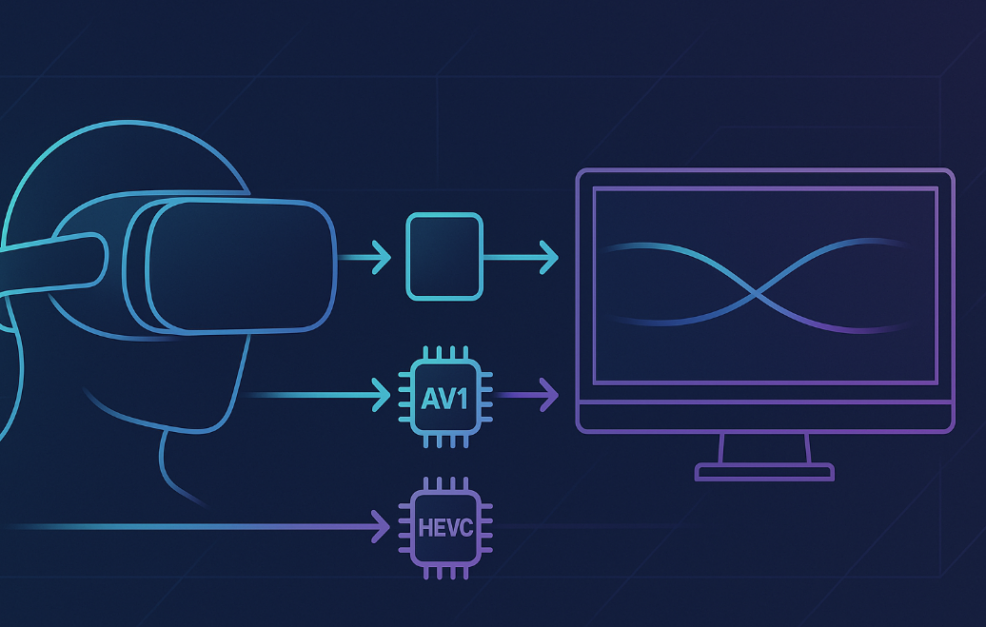
HEVC has been optimized for years and remains easier to decode on older standalone headsets. Lower CPU load means fewer spikes during playback. AV1 decoding has improved dramatically on 2026 devices with dedicated hardware support, but software-decoded AV1 can still strain less powerful headsets.
For 6K and 8K high-resolution VR video, the viewer’s hardware determines which codec performs best. Newer chipsets handle AV1 with ease, while older devices still favor HEVC for smooth stutter-free playback.
File size: AV1 produces smaller, cleaner masters
Because AV1 is more efficient, it produces smaller files at equivalent quality. In VR production pipelines, this reduces upload costs, server storage and backup requirements. Smaller files also download faster, making AV1 appealing for premium VR libraries and subscription platforms.
HEVC files are larger at the same visual quality, and the difference becomes dramatic at 8K. Studios that master in HEVC often need to push bitrates higher to avoid artifacting, inflating file sizes further.
Battery and thermals: HEVC runs cooler on older devices
Battery drain and heat buildup are overlooked factors in VR video playback. HEVC tends to run cooler because of its optimized decoders, making it more battery-friendly on legacy headsets. AV1 can consume more power when hardware acceleration isn’t available, leading to heat buildup and reduced session length.
On new 2026 headsets, however, AV1 hardware decode significantly narrows this gap. With proper hardware support, AV1 now runs cooler and more efficiently than early implementations ever allowed.
Device and GPU Support Overview
Codec performance ultimately depends on hardware support. Even the best 6K–8K master will stutter if the device cannot decode AV1 or HEVC efficiently. In 2026, standalone headsets, mobile devices and PC GPUs each have distinct strengths and limitations when handling high-resolution VR video.
Standalone headsets: strong AV1 adoption, mixed HEVC behavior
Most 2026 standalone VR headsets include dedicated AV1 hardware decode blocks, making AV1 playback smoother and less battery-intensive than in previous generations. These chips can decode 6K AV1 at stable frame rates and handle 8K AV1 panoramas with fewer drops than older models.
HEVC remains deeply supported on all standalone devices, but its thermal behavior varies. Some headsets throttle under high-bitrate 8K HEVC because older HEVC decoders rely more on CPU load. Newer standalone devices still decode HEVC well but clearly favor AV1 for long sessions.
In short, standalone headsets in 2026 are optimized for AV1 by design and HEVC for backward compatibility.
Phones: great HEVC support, limited AV1 for VR workloads
Smartphones have excellent HEVC acceleration across all major chipsets, and this support has been consistent for years. But AV1 hardware acceleration is uneven. High-end 2025–2026 phones can decode AV1 smoothly, while older devices rely on partial software decode that struggles with 6K VR.
For VR video specifically, the bottleneck isn’t just decoding — it’s thermals. Phones heat far faster than standalone headsets due to screen brightness and sustained load. This makes HEVC safer for long sessions on mobile, while AV1 VR playback is viable only on the latest chipsets.
PC GPUs: best overall performance for 6K–8K VR
PC GPUs offer the strongest codec support by far. Nvidia, AMD and Intel all include hardware blocks for both AV1 and HEVC decode, with full 8K support across modern cards. These GPUs handle 6K–8K 180° and 360° VR with ease and maintain consistent frame pacing even at high bitrates.
AV1 decoding on PC GPUs is exceptionally efficient, making them the ideal environment for creators mastering premium VR scenes or viewers who prioritize the smoothest playback possible. HEVC remains equally reliable, with broad compatibility across older GPU generations.
For anyone dealing with 8K VR workflows, PC remains the gold standard for decoding stability and visual integrity.
Recommended Bitrates for 5.7K, 6K and 8K (Safe Ranges)
Bitrate determines whether high-resolution VR looks crisp or collapses into motion blur and macro-blocking. In 2026, both AV1 and HEVC can deliver excellent results, but each resolution tier has safe ranges that avoid stutter on modern standalone headsets and PC VR players.
For 5.7K VR, most platforms target 20–40 Mbps for HEVC and 14–28 Mbps for AV1. This range preserves facial detail and skin texture while keeping file sizes manageable. Viewers on older standalone devices often find 5.7K AV1 the sweet spot for smooth playback.
For 6K VR, HEVC typically performs best at 40–70 Mbps, while AV1 can hold similar quality at 28–55 Mbps. This is where codec efficiency becomes noticeable: AV1 produces cleaner motion at lower bitrates, whereas HEVC needs more headroom to avoid artifacts in fast scenes.
For 8K VR, recommended bitrates climb sharply. HEVC usually needs 90–160 Mbps for clean motion and minimal banding, especially in close-range content. AV1 handles 8K more gracefully, performing well at 60–120 Mbps, provided the headset has hardware decode support. Below those numbers, both codecs risk stutter or texture loss during movement.
These ranges ensure smooth playback across 2026 hardware while balancing quality, heat output and storage demands.
Device Family Codec Preference and Suggested Bitrate Range
| Device Family | Prefer AV1 or HEVC? | Suggested Bitrate Range (5.7K / 6K / 8K) |
| Standalone (2025–2026 models) | AV1 preferred for efficiency and thermals; HEVC for legacy scenes | AV1: 14–28 / 28–55 / 60–120 Mbps |
| HEVC: 20–40 / 40–70 / 90–160 Mbps | ||
| Older Standalone (pre-2023) | HEVC preferred due to weak or no AV1 hardware decode | HEVC: 18–35 / 35–60 / not recommended for 8K |
| High-end Smartphones | HEVC preferred; AV1 only on latest chipsets | HEVC: 15–35 / 35–55 / 70–120 Mbps |
| Modern PC GPUs (RTX 30/40, RDNA3, Arc) | Either; full hardware decode for both | AV1: 14–28 / 28–55 / 60–140 Mbps |
| HEVC: 20–40 / 40–70 / 90–160 Mbps | ||
| Low-power Laptops / iGPUs | HEVC preferred; AV1 decode varies | HEVC: 18–35 / 35–55 / 70–100 Mbps |
Player Settings That Fix Stutter
Even with the right codec and bitrate, playback can still stutter if the VR player isn’t configured correctly. Smooth 6K–8K VR depends on proper buffering, hardware decode options and projection settings that match your device’s capabilities. In 2026, most players like HereSphere and DeoVR include advanced toggles that dramatically improve stability when configured correctly.
Increasing the buffer size helps the player store more video data ahead of time, reducing mid-scene stalls during fast motion. Hardware decode toggles allow you to force the headset or GPU to handle AV1/HEVC directly instead of relying on slower software decoding. On standalone headsets, enabling hardware decode almost always leads to lower heat, smoother playback and fewer frame drops.
Correct projection mode also matters. Choosing the wrong layout (e.g., fisheye vs equirectangular) forces the player to work harder, which introduces small but noticeable stutters during scene transitions. Optimizing just a few of these settings often fixes stutter entirely.
Troubleshooting Matrix
| Issue | Likely Cause | Quick Fix |
| Stutter / Frame Drops | Bitrate too high for device; hardware decode disabled; buffer too small | Enable hardware decode, increase buffer size, try a slightly lower bitrate track |
| Audio/Video Desync | Player lost sync during high motion; software decode struggling | Restart the player, switch to hardware decode, scrub back 10 seconds to re-sync |
| Banding in Dark Scenes | Low bitrate or aggressive compression; HEVC at too low a setting | Use higher-bitrate versions, prefer AV1 for dark environments, reduce player sharpening |
| Passthrough or Video Grain | Low room lighting; noise from camera; low-light AV1 files | Add soft ambient lighting, increase exposure slightly, use HEVC if AV1 grain is too visible |
| Motion Smear / Blurring | Insufficient bitrate for fast scenes; wrong projection mode | Use correct projection (180° EQ), increase bitrate or use AV1 for motion-heavy footage |
| Overheating / Throttling | Software decoding or high-bitrate HEVC on standalone | Switch to AV1, lower bitrate slightly, close background apps, let device cool |
Quick Recipes (Mobile, Standalone, PC-VR NAS)
Getting smooth 6K–8K playback doesn’t require complicated tuning. Each device family benefits from a simple “recipe” that matches its hardware strengths. These templates give viewers stable, stutter-free performance with minimal setup.
Mobile Recipe: Safe and Stable
Mobile devices heat quickly, so the goal is to keep decoding light and predictable.
- Use HEVC versions whenever possible
- Target 35–55 Mbps for 6K content
- Lower screen brightness to reduce heat
- Use a mobile VR browser with hardware decode (or a dedicated player app)
- Avoid long sessions; cool between scenes
- Keep apps closed in the background
This setup prevents thermal throttling and ensures motion stays smooth.
Standalone Headset Recipe: Modern, Efficient
Modern standalone devices are built for AV1, making this the most efficient path for high-resolution VR.
- Prefer AV1 versions for 6K–8K
- Use 28–55 Mbps for 6K and 60–120 Mbps for 8K
- Enable hardware decode in your VR player
- Increase buffer size to 20–40 seconds
- Make sure projection mode matches the file (e.g., 180° EQ)
- Close system overlays or active passthrough apps
This gives standalone headsets the best mix of clarity and stable performance.
PC-VR NAS Recipe: Maximum Quality, Zero Stutter
PC-VR users get the strongest decoding and streaming capabilities, especially when pulling files from a NAS.
- Use AV1 or HEVC, either works at full hardware acceleration
- Play 8K at 60–140 Mbps AV1 or 90–160 Mbps HEVC
- Connect your NAS over 1 Gbps Ethernet or WiFi 6/6E minimum
- Use a high-end player like HereSphere
- Set buffer length to 40–60 seconds for 8K files
- Keep sharpening low to avoid GPU spikes
With a stable network and hardware decode, PC-VR delivers the cleanest VR video available today.
FAQ
Does AV1 always look better than HEVC?
Not always, but at the same bitrate AV1 usually looks cleaner, especially in motion-heavy scenes. HEVC can match it, but only at higher bitrates.
Why does my 8K file stutter even on a new device?
8K needs strong hardware decode. If the headset falls back to software decode, even briefly, stutter is guaranteed. Check player settings and bitrate.
Is streaming or local playback better for 6K+?
Local playback is more reliable. Streaming 6K–8K demands fast WiFi, strong servers and consistent throughput. Downloads remove all those variables.
Which players respect hardware decode best?
HereSphere and DeoVR both use hardware decode reliably. HereSphere provides more control, while DeoVR offers wider compatibility.
How do I stop banding and compression artifacts?
Use higher bitrates, prefer AV1 for dark scenes, lower sharpening filters and avoid low-light HEVC encodes, where artifacting is most common.